

Overview
Sneakers Store is a small e-commerce application for browsing sneaker models, opening product details, choosing sizes, and collecting products in a cart. It was built when I was just starting to learn React and Redux, so the project is especially valuable as a snapshot of my early frontend foundation: component composition, client-side routing, async data fetching, global state, derived values, and persistence.
The application is not trying to be a production commerce platform. Its strength is more practical: it turns common shop interactions into a complete React flow, from catalog discovery to cart management.
Product structure
The app is built around three main screens:
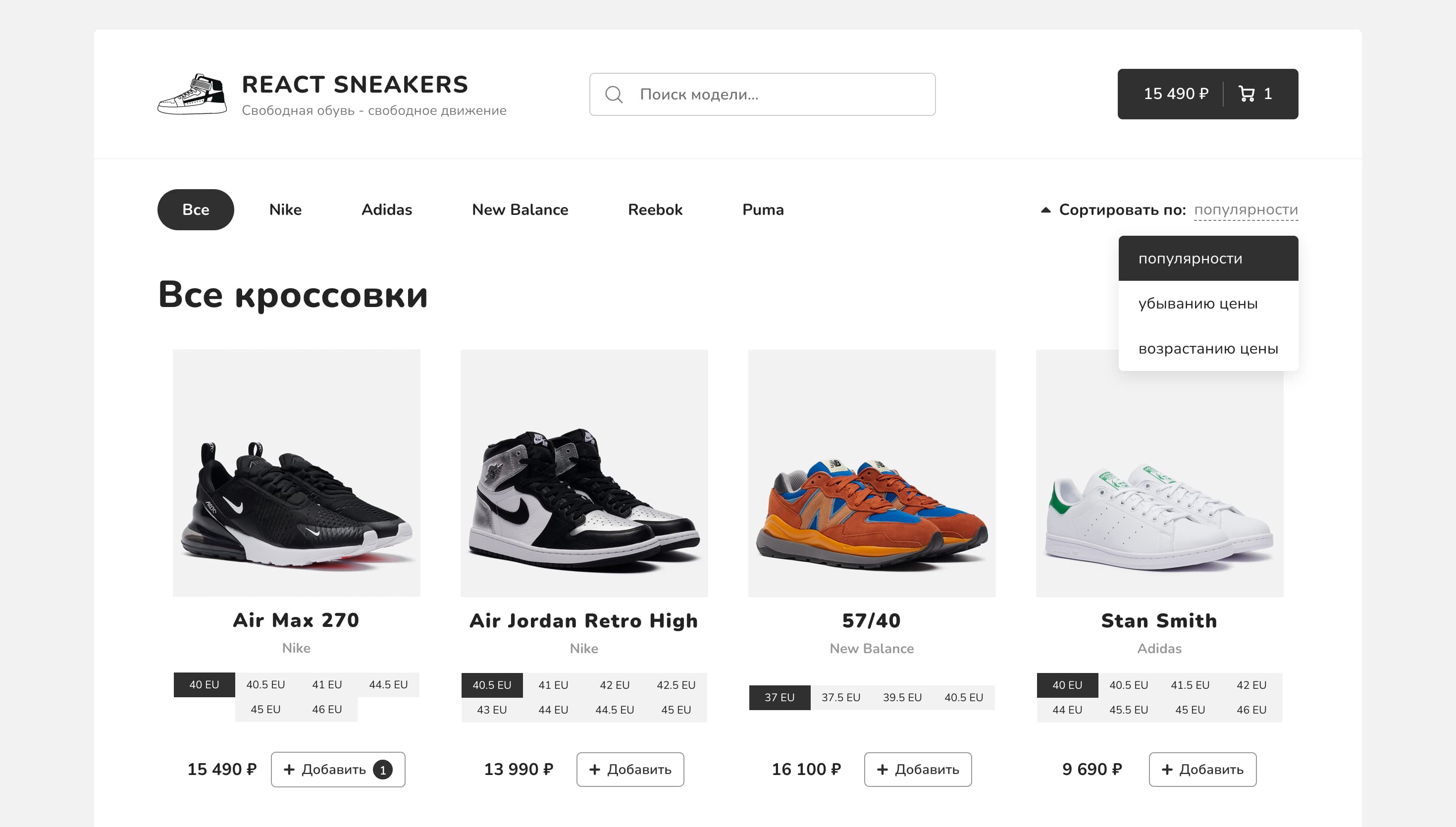
- Catalog - sneaker cards with categories, sorting, search, pagination, and loading skeletons.
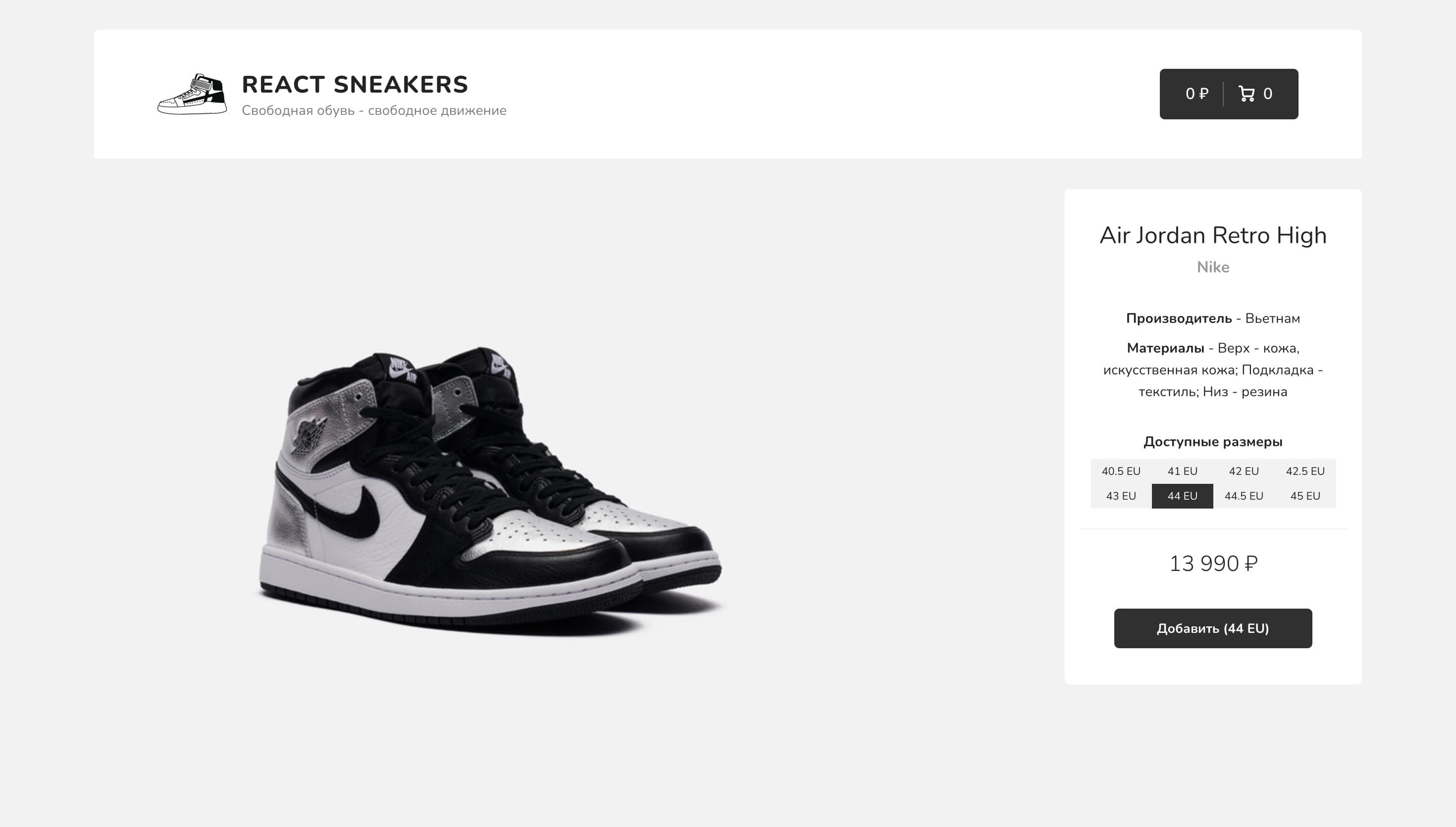
- Product page - a focused detail view with image, model information, available sizes, and add-to-cart action.
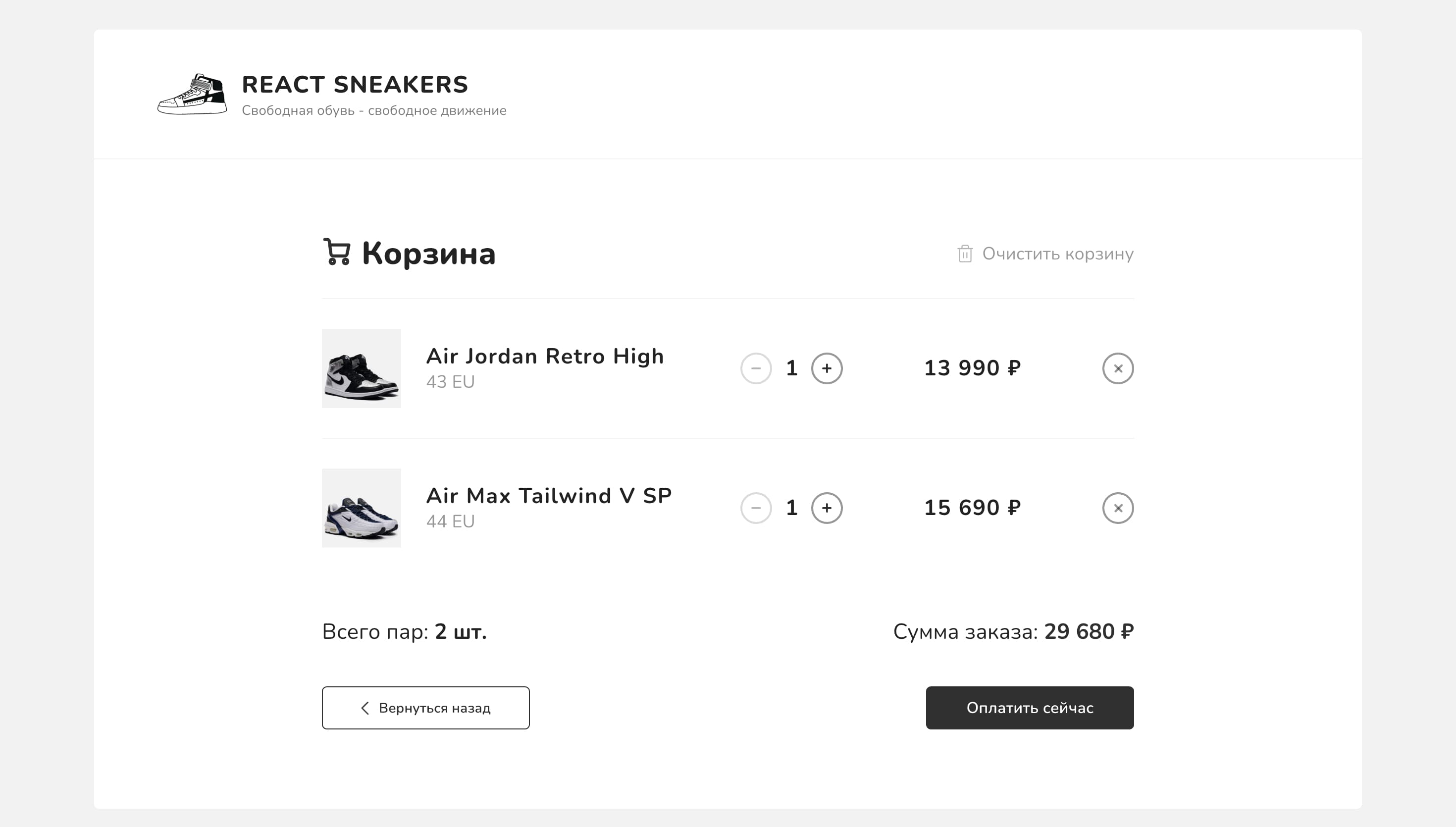
- Cart - grouped cart items with quantity controls, removal, total count, and total price.
The header connects the experience together: it shows search only on the catalog page and exposes cart totals on catalog/product routes. That makes the app feel like a single shopping flow rather than isolated pages.
Routing and page loading
The project uses React Router to split the application into catalog, cart, product details, and not-found routes. Secondary pages are lazy-loaded with React.lazy and Suspense, which was a useful early introduction to route-level code splitting.
const Cart = React.lazy(() => import('./pages/Cart'));
const ProductDetails = React.lazy(() => import('./pages/ProductDetails'));
const NotFound = React.lazy(() => import('./pages/NotFound'));

const App: React.FC = () => {
  return (
    <div className="wrapper">
      <Header />
      <div className="content">
        <Routes>
          <Route path="/" element={<Home />} />
          <Route
            path="/cart"
            element={
              <Suspense fallback={<h3>Загрузка...</h3>}>
                <Cart />
              </Suspense>
            }
          />
          <Route
            path="/product/:id"
            element={
              <Suspense fallback={<h3>Загрузка...</h3>}>
                <ProductDetails />
              </Suspense>
            }
          />
        </Routes>
      </div>
    </div>
  );
};
This structure keeps the catalog as the primary route while letting the heavier cart and product-detail screens load only when they are needed.
Catalog state in Redux
The catalog is driven by Redux state: current category, sort mode, page, search value, products, and request status. createAsyncThunk handles the API request, while the products slice tracks loading, success, and error states.
export const fetchProducts = createAsyncThunk<ProductType[], SearchParams>(
  'products/fetchStatus',
  async (params) => {
    const { currentPage, search, category, sortBy, order } = params;

    const { data } = await axios.get<ProductType[]>(
      `https://62f25d0e18493ca21f32200f.mockapi.io/items?page=${currentPage}&limit=8&${search}&category=${category}&sortBy=${sortBy}&order=${order}`
    );

    return data;
  }
);
The slice then turns that async lifecycle into UI-ready states:
const productsSlice = createSlice({
  name: 'products',
  initialState,
  reducers: {},
  extraReducers: (builder) => {
    builder.addCase(fetchProducts.pending, (state) => {
      state.items = [];
      state.status = Status.PENDING;
    });

    builder.addCase(fetchProducts.fulfilled, (state, action) => {
      state.items = action.payload;
      state.status = Status.FULFILLED;
    });

    builder.addCase(fetchProducts.rejected, (state) => {
      state.items = [];
      state.status = Status.REJECTED;
    });
  }
});
This made the interface easy to reason about: pending state renders skeleton cards, fulfilled state renders products, and rejected state renders an error message.
URL-synced filtering
One of the more useful parts of the project is the attempt to keep catalog filters in the URL. The home page serializes category, page, and sort values into query parameters, and on first render it can read those parameters back into Redux.
useEffect(() => {
  if (isMounted.current) {
    const queryString = qs.stringify({
      currentPage,
      categoryId,
      sortBy: sort.type
    });

    navigate(`?${queryString}`);
  }

  isMounted.current = true;
}, [currentPage, categoryId, sort]);
The reverse flow runs when the page opens with an existing query string:
useEffect(() => {
  if (window.location.search) {
    const params = qs.parse(
      window.location.search.substring(1)
    ) as unknown as SearchParams;
    const sort = sortList.find((obj) => obj.type === params.sortBy);

    dispatch(
      setFilters({
        searchValue: params.search,
        categoryId: Number(params.category),
        currentPage: Number(params.currentPage),
        sort: sort || sortList[0]
      })
    );

    isSearch.current = true;
  }
}, []);
Looking at it now, this is not the most polished version of URL state management, but it captures an important learning step: application state should often be shareable, reload-safe, and connected to navigation rather than hidden entirely inside components.
Search without noisy requests
Search input keeps local typing responsive and dispatches the Redux search value through a debounced function. That prevents every keystroke from immediately changing catalog state and triggering a new request.
const updateSearchValue = useCallback(
  debounce((str) => {
    dispatch(setSearchValue(str));
  }, 300),
  []
);

const onInputChange = (e: ChangeEvent<HTMLInputElement>) => {
  setValue(e.target.value);
  updateSearchValue(e.target.value);
};
This pattern helped separate immediate input feedback from slower application-level effects.
Cart logic and persistence
The cart stores products with both id and selected size, so the same sneaker model can exist as separate cart lines for different sizes. Redux Toolkit keeps the reducers concise while still making quantity and total updates explicit.
const findProduct = (
  state: CartSliceState,
  { id, size }: { id: string; size: number }
) => {
  return state.products.find((obj) => obj.id === id && obj.size === size);
};

const cartSlice = createSlice({
  name: 'cart',
  initialState,
  reducers: {
    addProduct: (state, action: PayloadAction<CartProductType>) => {
      const product = findProduct(state, action.payload);

      if (product) {
        product.count++;
      } else {
        state.products.push({
          ...action.payload,
          count: 1
        });
      }

      state.totalPrice = getTotalPrice(state.products);
      state.totalCount = getTotalCount(state.products);
    }
  }
});
Cart data is restored from localStorage on initialization:
export const getCartFromLS = () => {
  const data = localStorage.getItem('cart');
  const products = data ? JSON.parse(data) : [];

  return {
    products,
    totalPrice: getTotalPrice(products),
    totalCount: getTotalCount(products)
  };
};
The header writes cart updates back to localStorage, so a user can reload the page without losing selected products.
Product details
The product page uses the route parameter to request a single item, stores the selected size locally, and dispatches the same cart action used by catalog cards.
const { id } = useParams();

useEffect(() => {
  const fetchProduct = async () => {
    try {
      const { data } = await axios.get(
        `https://62f25d0e18493ca21f32200f.mockapi.io/items/${id}`
      );
      setProduct(data);
      setFormattedPrice(getFormattedPrice(data.price));
    } catch (err) {
      navigate('/');
    }
  };

  fetchProduct();
}, [id]);
This page gave the catalog more depth: products were not just cards in a grid, but routable entities with their own state and interaction.
Outcome
Sneakers Store is best understood as a learning milestone. It shows the point where I moved from building isolated React components to thinking in application flows: routes, shared state, async data, persistence, derived totals, loading states, and user actions that affect multiple parts of the interface.
There are things I would design differently today: stronger URL parameter handling, cleaner API request construction, more reusable selectors, better empty/error states, and tests around cart behaviour. But that is exactly why the project is useful in a portfolio: it documents the stage where React and Redux stopped being abstract concepts and became tools for building a complete user experience.